Spotlight Tour- Week #112

Spotlight Tour- Week #112

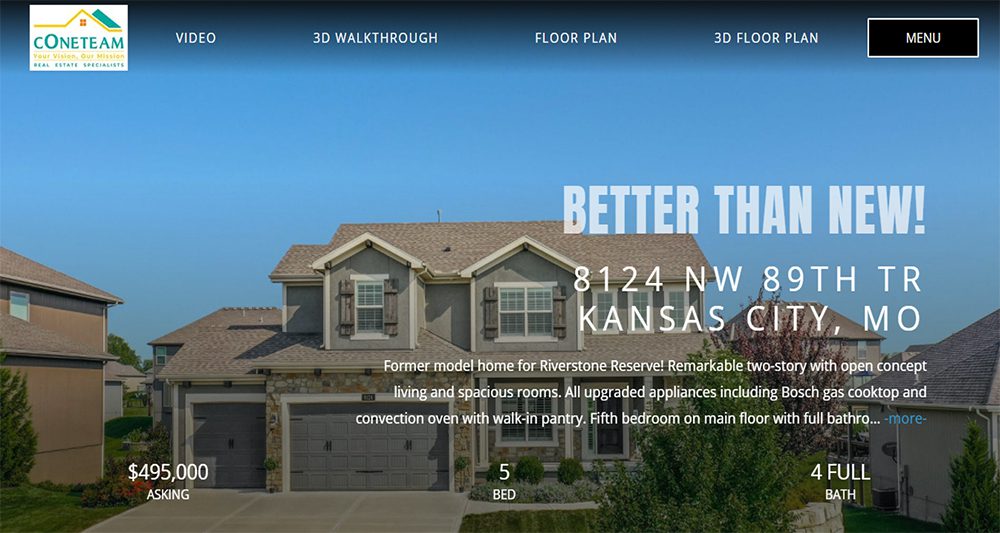
BETTER THAN NEW!!!!

Kansas City, MO

See The Story of This Home

The FloorPlanOnline Tour at work - this listing for the Cone Team sold for a full price offer with no contingensies or inspections in 4 hours.

Former model home for Riverstone Reserve! Remarkable two-story with open concept living and spacious rooms. All upgraded appliances including Bosch gas cooktop and convection oven with walk-in pantry. Fifth bedroom on main floor with full bathroom nearby. Gorgeous flooring and decorator crown moldings, Plantation shutters, Hunter-Douglas blinds, and surround sound speakers. Master suite with luxurious soaking tub and spacious shower. Covered Trex deck with ceiling fan and rolling shade to enjoy the beautiful backyard. Heated garage adds even more value. A beautiful home inside and out!

Professional HDR photography by Brooke W.


If you are interested in listing your home or have questions, please contact:



Kim James

The Cone Team/ReeceNichols

6340 N Lucerne Ave, Kansas City, MO 64151


Spotlight Tour- Week #111

Spotlight Tour- Week #111

An exquisite golf course home!!

Holly Springs, NC

See The Story of This Home

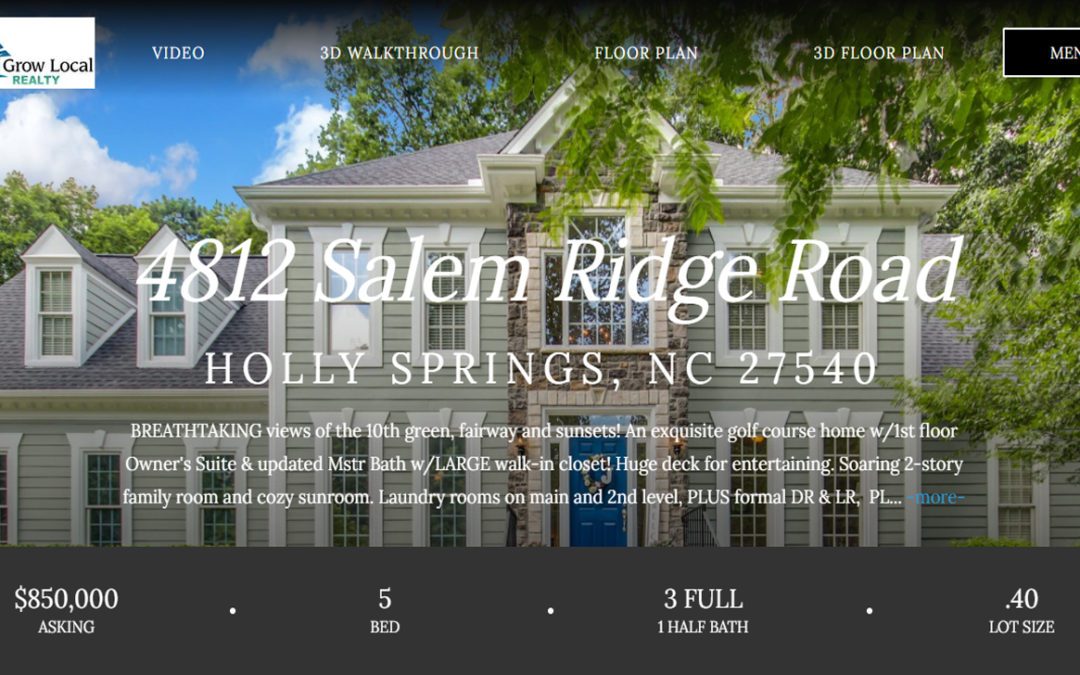
BREATHTAKING views of the 10th green, fairway and sunsets! An exquisite golf course home with first floor Owner's Suite & updated Mstr Bath with large walk-in closet! Huge deck for entertaining. Soaring 2 story family room and cozy sunroom. Laundry rooms on main and second level, Formal Dining room & LIving Room, space for everyone- 4 Additional Bedrooms, PLUS 2 LARGE Bonus rooms-one with a walk-out balcony overlooking the golf course. A short walk to Devil's Ridge Golf Club, pools, tennis and Bass Lake Park! Welcome Home!


Professional HDR photography by  Randall J.


If you are interested in listing your home or have questions, please contact:



Michelle Miniutti

Realtor,

License: 302054

Grow Local Realty

140 Raleigh St, Holly Springs, NC 27540

HomeDiary for your Clients

HomeDiary for your Clients

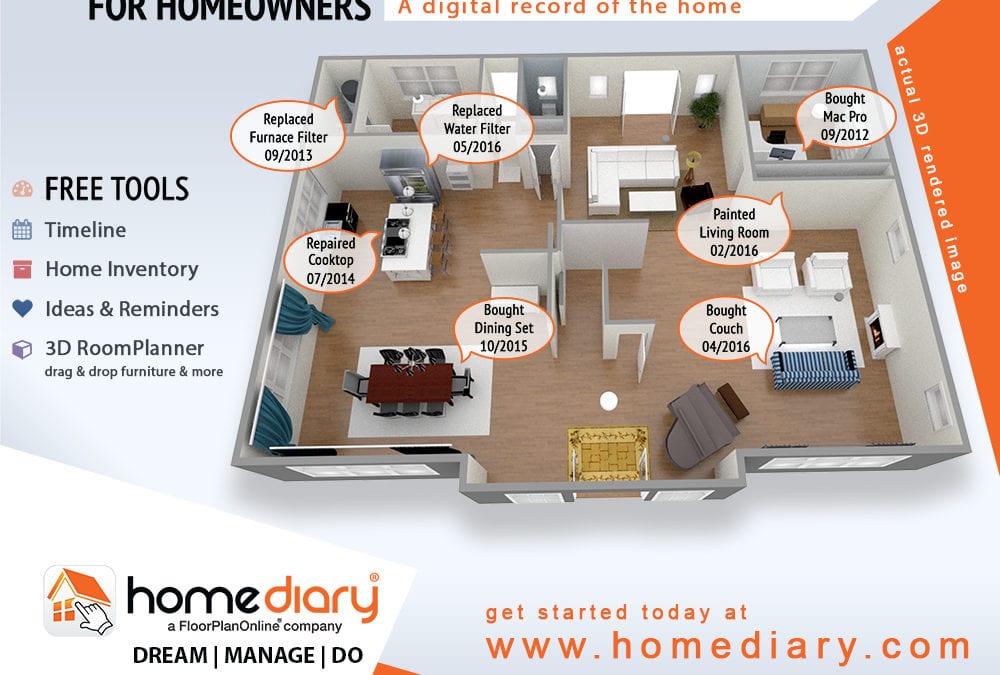
HomeDiary is a home management system created by FloorPlanOnline.  The content created for the listing lives on for both the buyer and the seller, as a management tool, and keepsake, respectively.  Each home can be claimed by both the Buyer and the Seller right from the virtual tour. 

In this webinar, we do a deep dive into what HomeDiary is and how it can work for you.  Did I mention it was free?

Spotlight Tour- Week #110

Spotlight Tour- Week #110

Reminiscent of an English country cottage!

BETHLEHEM, PA

See The Story of This Home

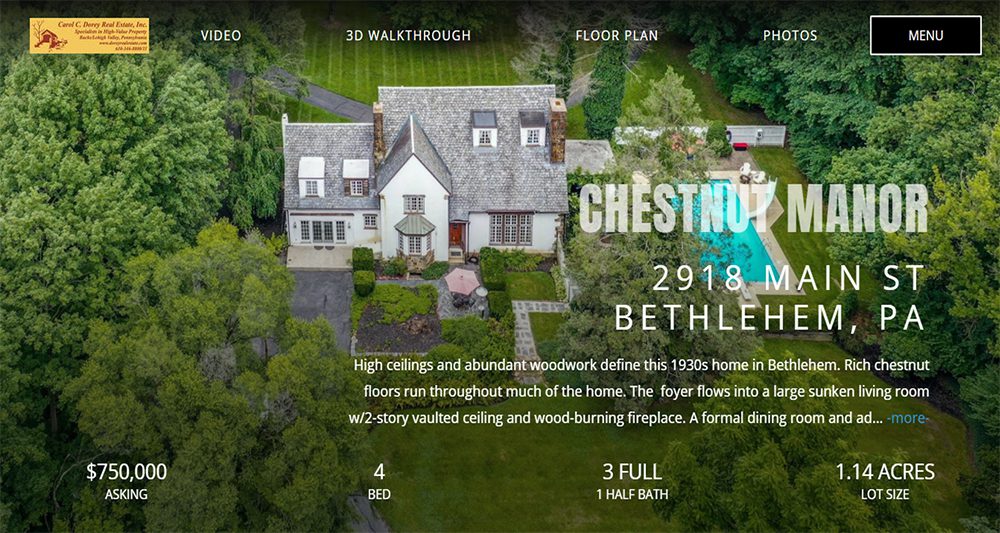
High ceilings and abundant woodwork hearken back to a bygone era in this 1930s home in Bethlehem. Reminiscent of an English country cottage, Chestnut Manor rests on over an acre of park-like grounds.Rich chestnut floors run throughout much of the home, with chestnut detailing along the walls and banisters. The handsome foyer flows easily into a large sunken living room with a 2-story vaulted ceiling, oversized windows and wood-burning fireplace. A formal dining room and adjacent butler’s pantry are perfect for entertaining, while the family room features a slate floor and gas fireplace. The tidy kitchen includes a cast iron sink and gas cooking, while the laundry facilities are just steps away in the lower level. Office space on this floor opens up to a covered patio that looks out over the sparkling in-ground pool. Two separate staircases lead up to the second floor, with a landing that overlooks the foyer and living room. The primary suite is a quiet oasis, with plentiful windows, walk-in closet, and adjacent bath with marble floors. Two more generously sized bedrooms are on this floor, along with a sitting room and unfinished hall bath. The third floor includes plenty of storage space along with a finished bedroom, play room, and full bath with marble floor and claw-foot tub. Outside, the grounds have been lovingly maintained and include a circular driveway, wide lawn, a pond, and multiple patio spaces. A 3-car detached garage is a welcome amenity. Chestnut Manor is ideally situated along the Main St Extension, with easy access to shopping, dining and commuter routes.


Professional HDR Photography by  Barri R.


If you are interested in listing your home or have questions, please contact:


Carol C. Dorey Real Estate, Inc


How to add documents to a tour

How to add documents to a tour

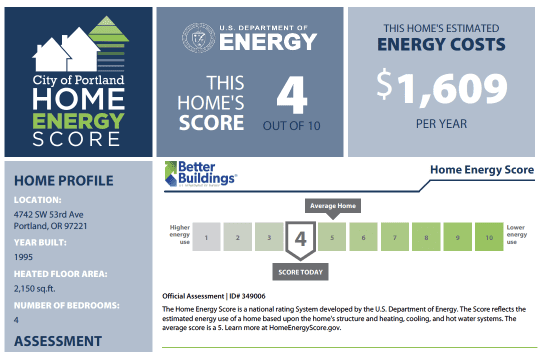
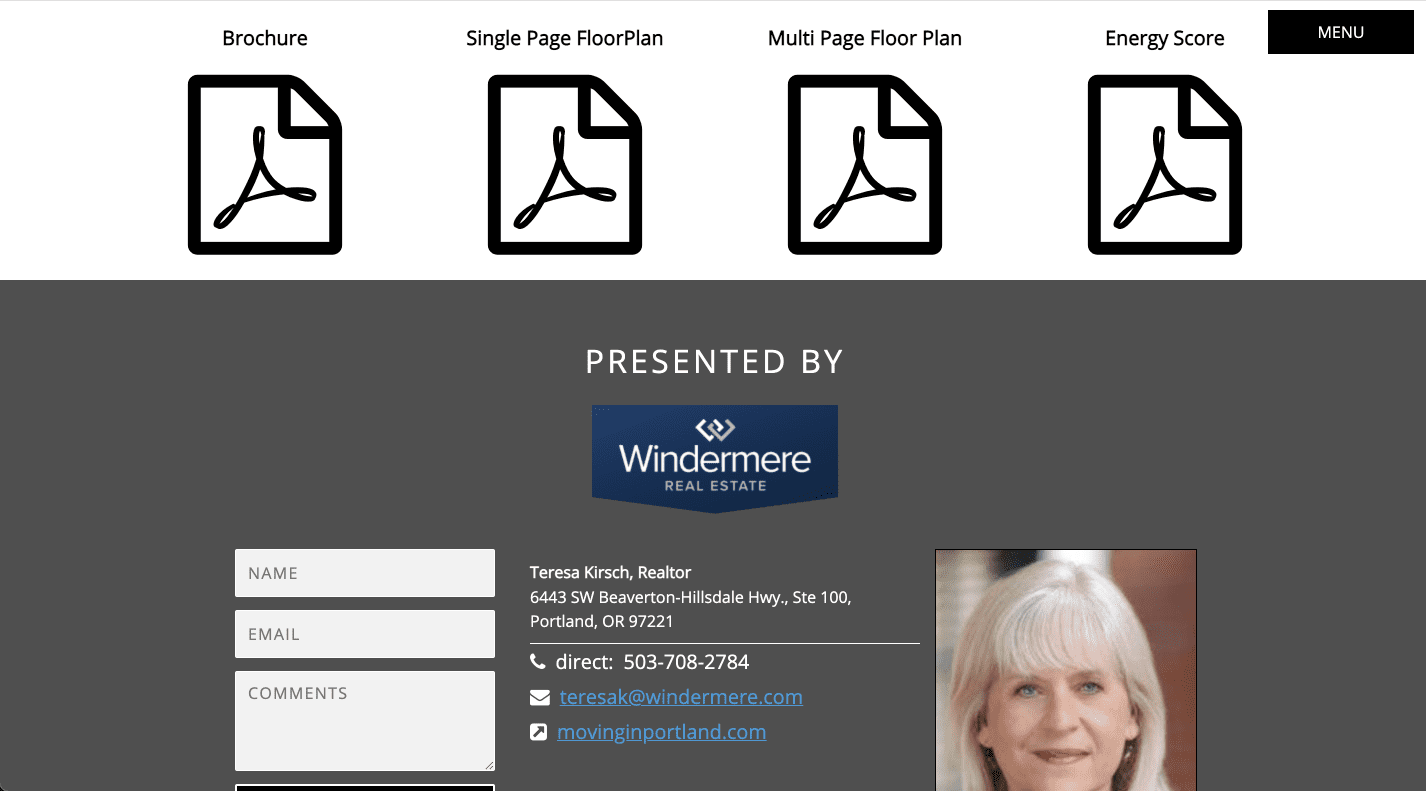
Did you know you can upload documents and show them on the tour itself?  They show next to the flyer and printable floor plan files with any name you provide for it.  This is great if you need to show listing related documents on your marketing.  For example cities like Portland and Austin require some kind of home energy score ("HES") to sell a listing, and the rules require you to display it as a link on your marketing.  You can use our feature to upload your HES and show it as a clickable icon.  When clicked, it downloads the PDF of the HES!

you can upload any document to the tour and display it as an available download

We accept Word or PDF attachments as tour documents.  Things such as seller's disclosures, home energy scores, bug inspections or even a pre-sale home inspection report could be added to the tour so potential buyers can see all of the info and help them make a better decision. 

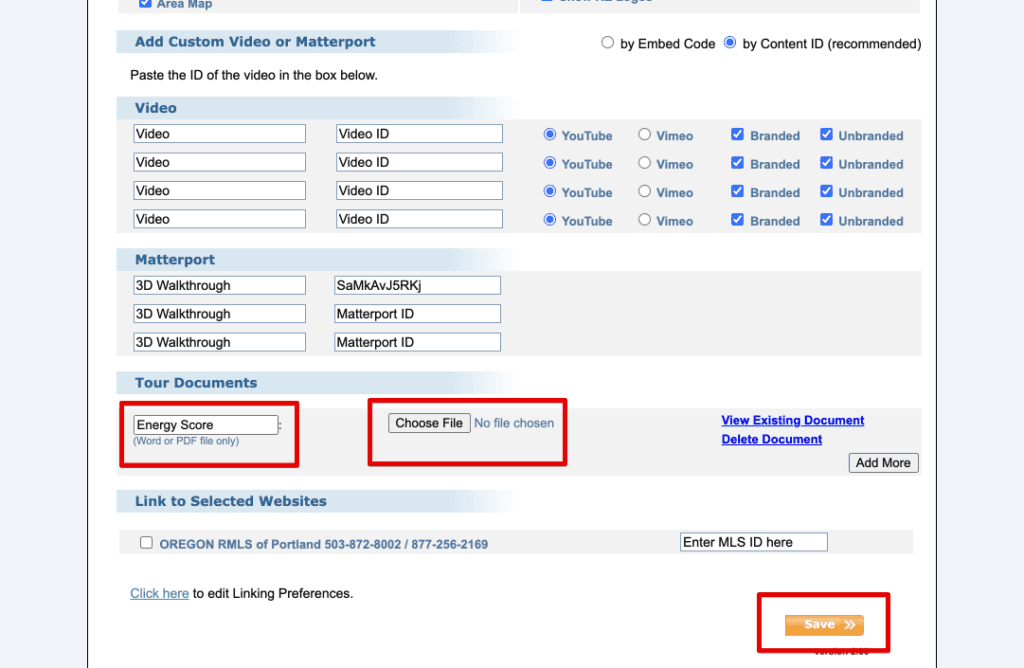
To add a document, just go to Manage Tours, then Edit Details to get the the listing page.  Scroll down almost to the bottom until you see the Tour Documents section. Enter a display name for the document, find the file on your computer and then upload.  You can add more or delete a document too.   Just remember to save, and the document then shows up on the tour.  

to add a tour document, just select the file on your computer, add a name for it and then save the edits.

How to change the music on your slideshow video

How to change the music on your slideshow video

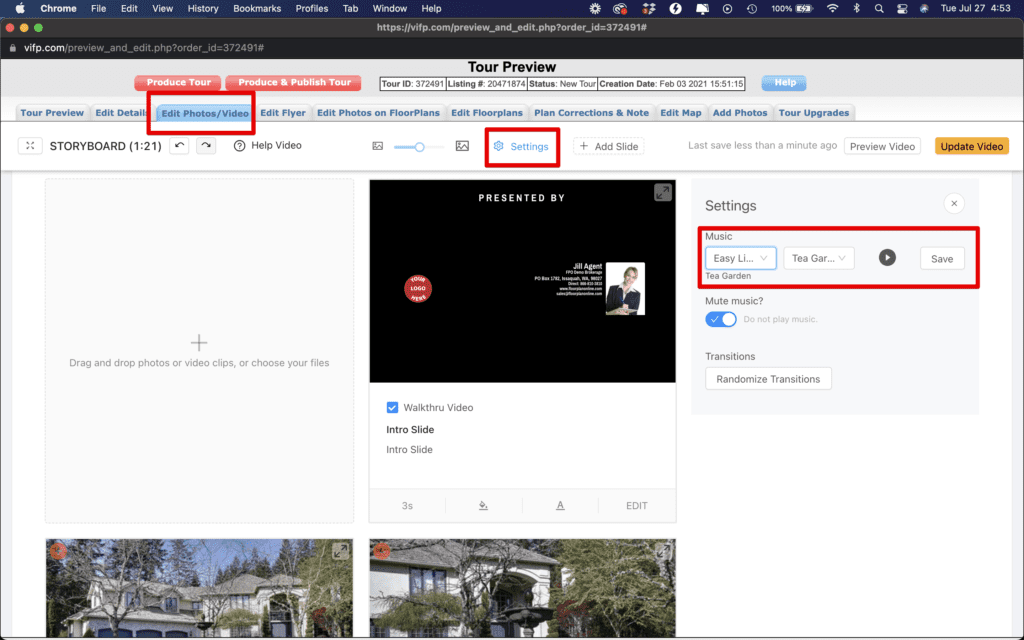
Did you know you can change the music on the included slideshow video in just a few clicks?   All you need to do is navigate to Manage Tours, then Edit Tour on the right, and go to the Edit Photos/Video tab.  Once there, select the Settings icon and you will see a list of music.  Select the dropdown and you can see genres and play a snippet of a song to get the right one for you and your listing.  Save, then hit the Update Video button, and your video will be updated on the tour with a few minutes typically, and you can download it under Manage Tours if you want to post it to your own website or social media.  

this image shows the video editor and how to change music on the slideshow video

If you want to get really creative, check out our webinar on how to create an amazing slideshow video.  It goes into detail on how to use the transitions, add your own video clips or use our text explainer slide feature to add explanations or even create custom call to action slides.