by Kris Cone | Jan 11, 2013 | Help & FAQ, What's New
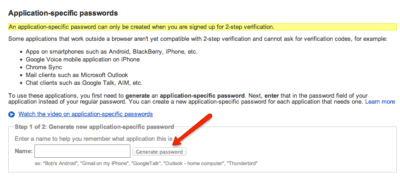
It appears that due to recent changes to how Google and YouTube account access works, IF you have set up 2-step verification in your Google account (meaning you no longer login to YouTube with a separate YouTube user name, but you use your Google account user name, which is likely your Google email) you will not be able to post videos to your own YouTube channel until you create an application specific password in your Google account. Please check Google help for how to do this. Thanks a lot Google for making our lives safer!
To learn more go to https://www.google.com/settings/security and then select Manage Access and create an application specific password, and then copy and paste that password, along with your login name, in our profile page for linking.
by Kris Cone | Jan 9, 2013 | Listing Tools
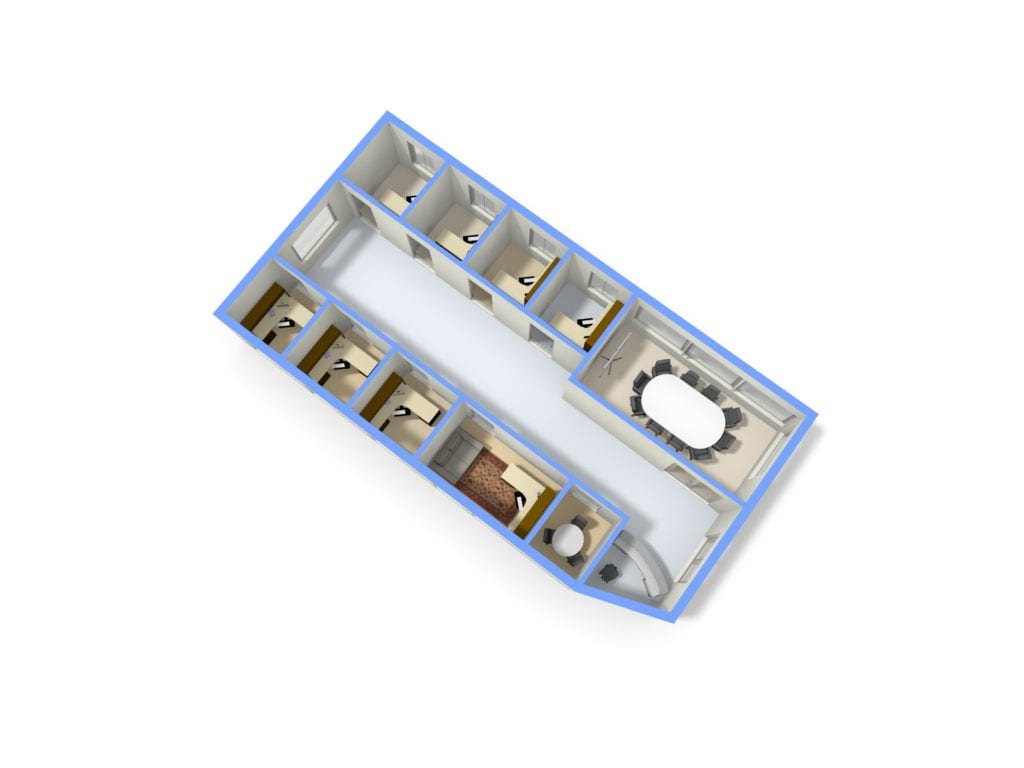
Our interactive floorplan tools are great for residential properties, but they are also cool tools to market or manage commercial spaces, such as a floor, a building or a whole complex. An example of how you can use the RoomPlanner tool to plan and manage your office space is below.
As part of our tools, you can generate 2D and 3D floor plans on demand, just like the example below. Go back and edit at any time…all edits are included in the one time price!
by Kris Cone | Jan 4, 2013 | Listing Tools
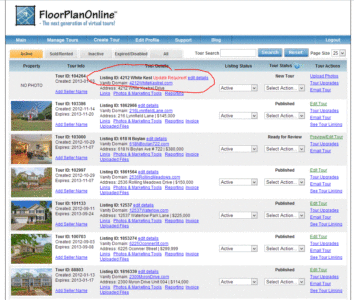
We recently added a check tool for the MLS or Listing number associated with your tour. As you create a tour, there is an option to select whether the MLS is Valid, Not Needed or Is Going to change. If you select it is valid, when you approve and publish the tour, we will link it to the websites desired, such as Realtor.com, the MLS (if applicable), Zillow (Yahoo), Trulia and Seetheproperty.com (our own search website). If you mark the MLS as Going to Change, we will not link the tour anywhere.
On the Manage Tours page, there will be a red Update Required! text if the system thinks the MLS is not valid. Just click edit details next to this text to update the listing with the correct information and save at the bottom. The notification should then go away.
This was put into place because some people were confused as to when a tour was published and linked for various websites. We hope this eliminates the confusion and the cases of unwanted distribution.
by Kris Cone | Dec 19, 2012 | Listing Tools, Tour Updates, What's New
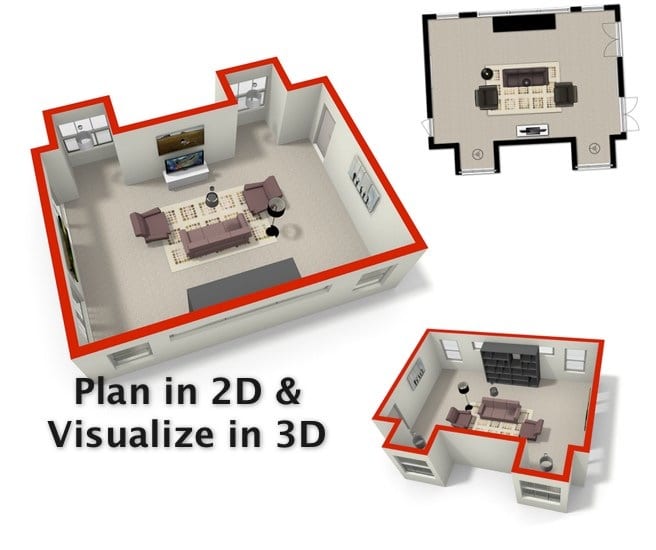
Exciting News! One new cool feature of the new floor plan drawing tool with real-time editing is the ability to generate photo-realistic images of floor plans, right within your account. Just edit the plan how you want by adding in more details and features, like beds, couches, rugs and more, save your changes, and then select the 3D Render option under the Share icon. Enter in your email, pick a size of the image and the plan orientation, and add a top color to the walls, if you want. You will get some images like this view below. Pretty cool!
[fpotour emt=”popover” bgc=”A19387″ ftc=”ffffff” bnm=”PB” tbs=”11111111″ swi=”3″ oid=”11406″ mtp=”0.80″ uid=”Y4XQRL14″ wid=”700″ hid=”530″]
PS. we also added a link called Corrections & Notes, which takes you to the old plan editing tool…if you are more comfortable with that. But we highly encourage the new Edit FloorPlans tool because you can change text, add a missing door or window, save, and update your tour, flyer and more within minutes! No more waiting!
by Kris Cone | Nov 6, 2012 | Listing Tools, Real Estate Info
Subscribers, Start Your Engines!
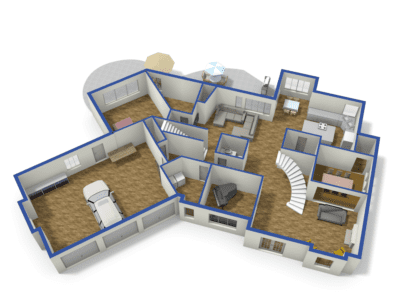
We are pleased to announce that Subscribers to our virtual tour system now have the ability to draw their own floor plans and add them to their tour, the flyer and printable plan within minutes. You can come back and edit them at any time. Plus, you can generate 2D and 3D images of the plans within your account on demand, just like this image!
Super Easy, Amazing Results
The drawing tool is easy to use and great for people that have their own person drawing plans (like an appraiser) or can get access to an appraisal from the seller or a marketing brochure. Just scan or take a photo of the source document and upload the image as a template for tracing the plan footprint. Then add in interior walls and features. Use it as a virtual staging tool by adding furniture, rugs, flooring types or even landscape details. Then generate a 3D image. You can even export a 3D model to use in Sketch-up or even get a 3D model printed, great for a closing gift.
Just $10 a Plan!
This feature is available as a $10 per tour upgrade for any subscriber to the FloorPlanOnline TourProducer Subscription program. If you are not a subscriber, you can convert by going to Edit Profile and selecting the Change Membership Plan button. Note, we do provide full service floor plan services for subscribers too…so if you do not have a plan sketch or do not want to deal with it, we can do it for you. Subscribers save $30 off the regular price for this full service option.
Office or Company Deal
Looking for a feature-packed virtual tour/listing marketing system for your whole office or company? Let’s Talk! We can offer our subscription system for your whole office or company – one account manages all sub accounts, and each agent can have their own personalized account. Plus, with our new tool to embed the tour into a WordPress powered website (or other sites that support javascript), our marketing system gets more buyers coming to your website with floor plans, keeps them ON YOUR site longer, and converts them into buyers. Don’t forget, our tool is a great listing tool too – use our iPad tour to showcase on the device or even on an Apple TV!
If you would like to talk to sales, please complete the from below and select Subscription Program as the subject or call us at 866-810-3816.
by Kris Cone | Oct 18, 2012 | Listing Tools, Technology
We have some exciting news to share…the ability to add video clips in your Virtual WalkThru Video! But there is more…not only can you upload a clip of a fountain, a boat skimming across the water, or whatever you want to showcase on an individual tour, we also added the ability to upload Agent Bookend Videos to your profile, and then add these videos to every WalkThru Video, just by checking the box! Posting to the MLS? Don’t worry, you can just have your bookend videos show on the branded tour, or if you make the bookend video generic (without any of your contact info, name, etc…), you can include the bookends in both the branded and unbranded videos.
See our How To Video to learn more on how you can create a really custom video for your tours[pb_videoshowcase group=”8″]
See an excellent example of the power of this feature by clicking the Video tab below or see http://www.seetheproperty.com/102379, provided courtesy of Best View Photography. http://www.bestviewphotography.com
[fpotour emt=”embeded” bgc=”ffffff” ftc=”ffffff” bnm=”1″ tbs=”01111111″ swi=”3″ oid=”102379″ mtp=”0.80″ uid=”5J5R307R” wid=”960″ hid=”700″]
This is also an example of how you can embed the whole virtual tour into your website!
While we believe a great photo with animation to simulate movement is a powerful tool, a video clip can evoke emotion up and above what a photo might provide. So give it a try. It’s FREE!
As always, you can view all of our help videos here.